Features — a tab-by-tab tour
A host pill bar at the top switches between the local box and any remote you've registered; every tab scopes to the active host. Here's what each one shows.
Screenshots are from a live 56-core / RTX 3090 host
Network identifiers are redacted; everything else is real data.
Overview
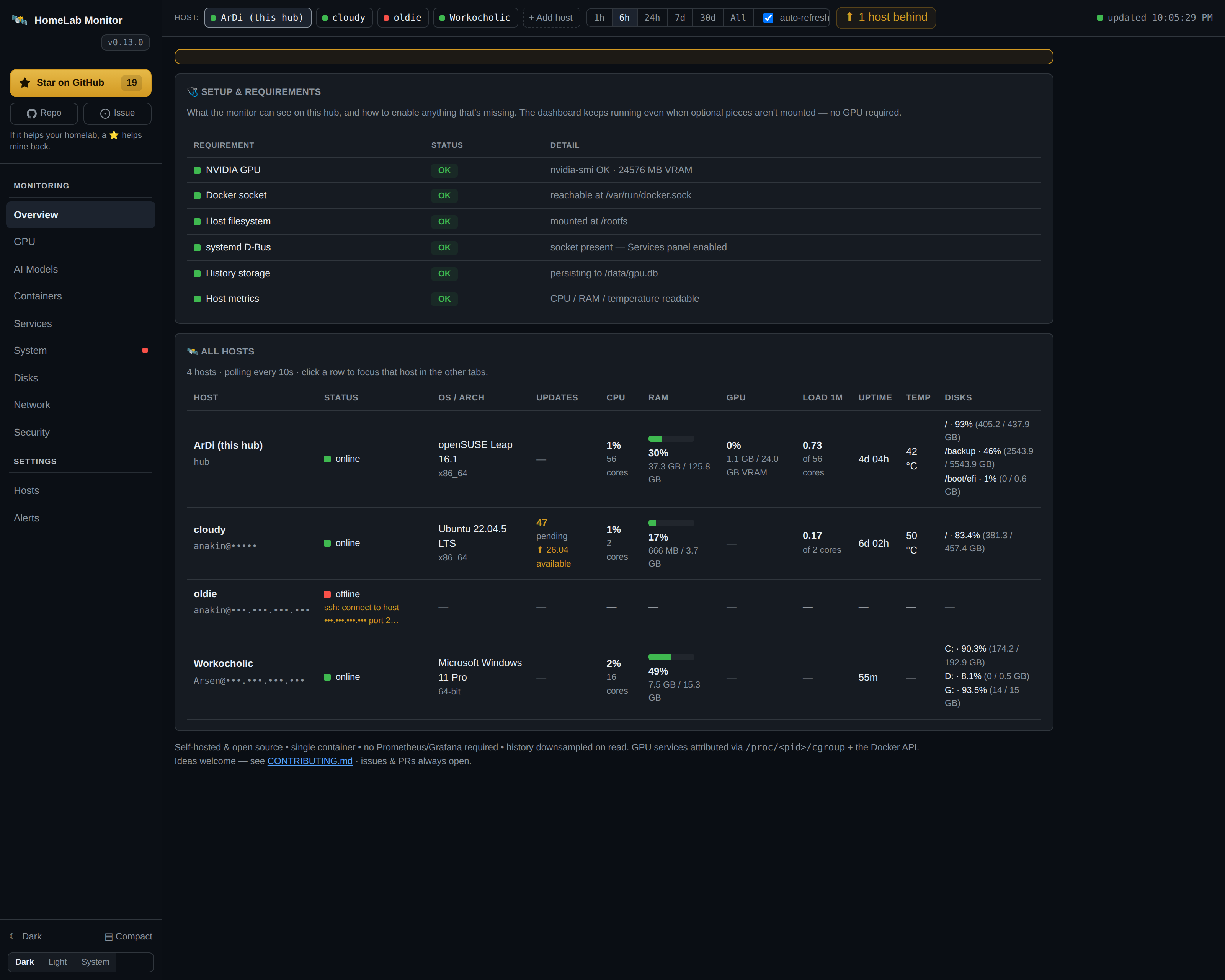
Every registered host side by side: CPU % + cores, RAM % + GB, GPU util + VRAM, load, uptime, temperature and disks. Click a row to focus that host in the other tabs.
GPU
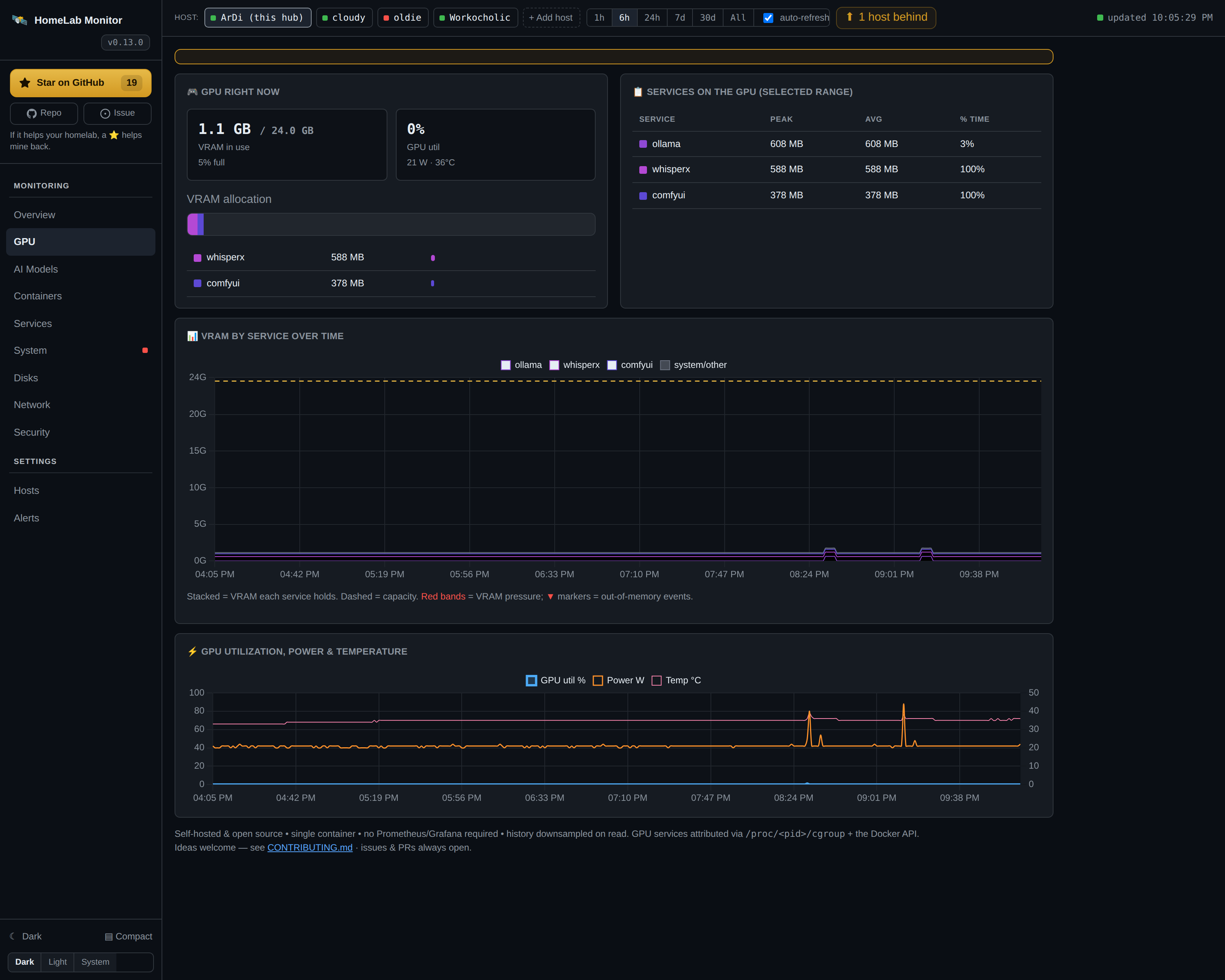
Live VRAM / utilisation / power / temperature, which container or process holds the
VRAM (mapped automatically via nvidia-smi + /proc/<pid>/cgroup — nothing
hardcoded), and a VRAM-by-service timeline.
AI Models
Every recognised model server (Ollama, vLLM, llama.cpp, ComfyUI, faster-whisper, Stable Diffusion, …), which model is loaded and its VRAM — read live from the server's own API. Servers stay listed as Idle when their model unloads (nothing flickers away), and a "Driven by" breakdown shows which services are calling each server. See the full list of 30+ servers.
Benchmark Lab
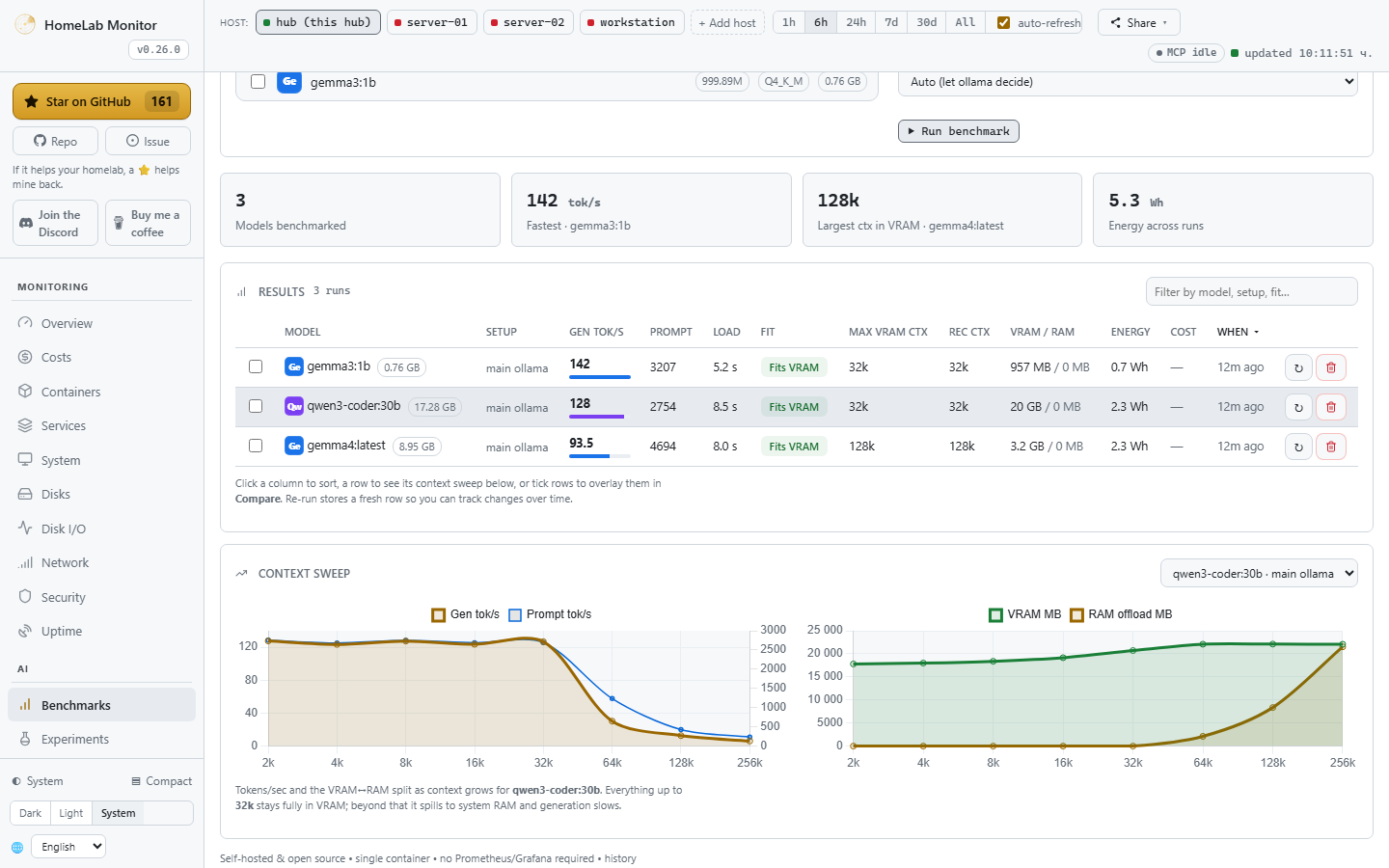
Measure what your local models actually do on your GPUs, instead of guessing. Pick one or more ollama models and the Lab sweeps a ladder of context sizes, recording generation & prompt tokens/sec, load time, the VRAM↔RAM split (how much spilled to system RAM), a fit verdict, and the largest context that still fits fully in VRAM — the cap worth setting. Choose which GPU(s) to test (via a throwaway pinned ollama container — your main one is never touched), overlay stored runs to compare cards, and every run is priced by the same tariff engine as the rest of the app. Results are stored and sortable in a filterable table: benchmark once, re-run only when something changes. Benchmarking is an active, opt-in operation and single-flight, so it never stampedes the GPU.
Containers
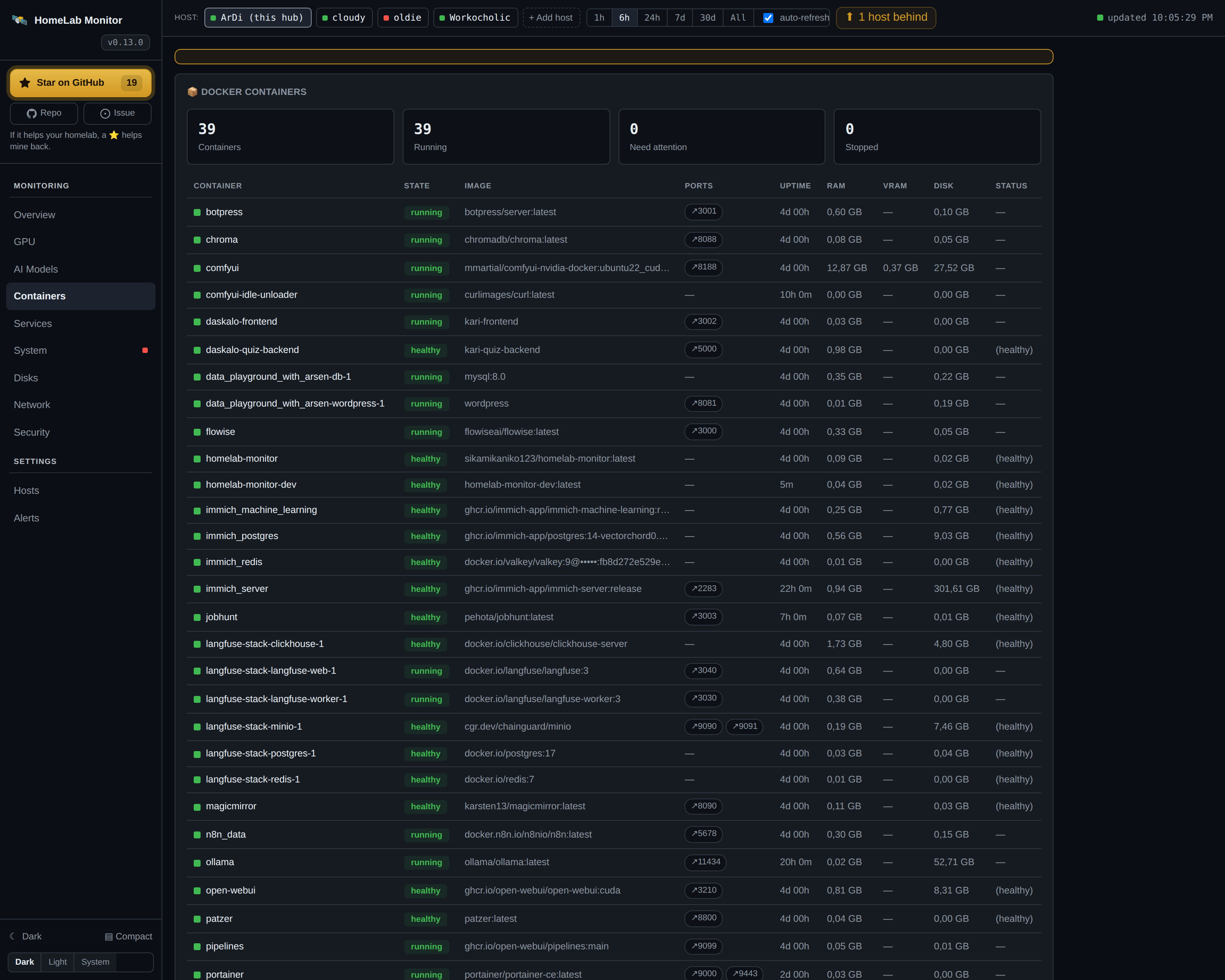
Health of every Docker container with uptime, RAM and GPU-VRAM in separate
columns (RAM is the real resident set — page cache excluded — so the numbers add
up), real on-disk footprint, a table total, and clickable port chips that open
host:port in a new tab. Start, stop, restart and change the restart policy of
local containers straight from the table — on by default, see
ENABLE_CONTROLS
to turn it off.
Services
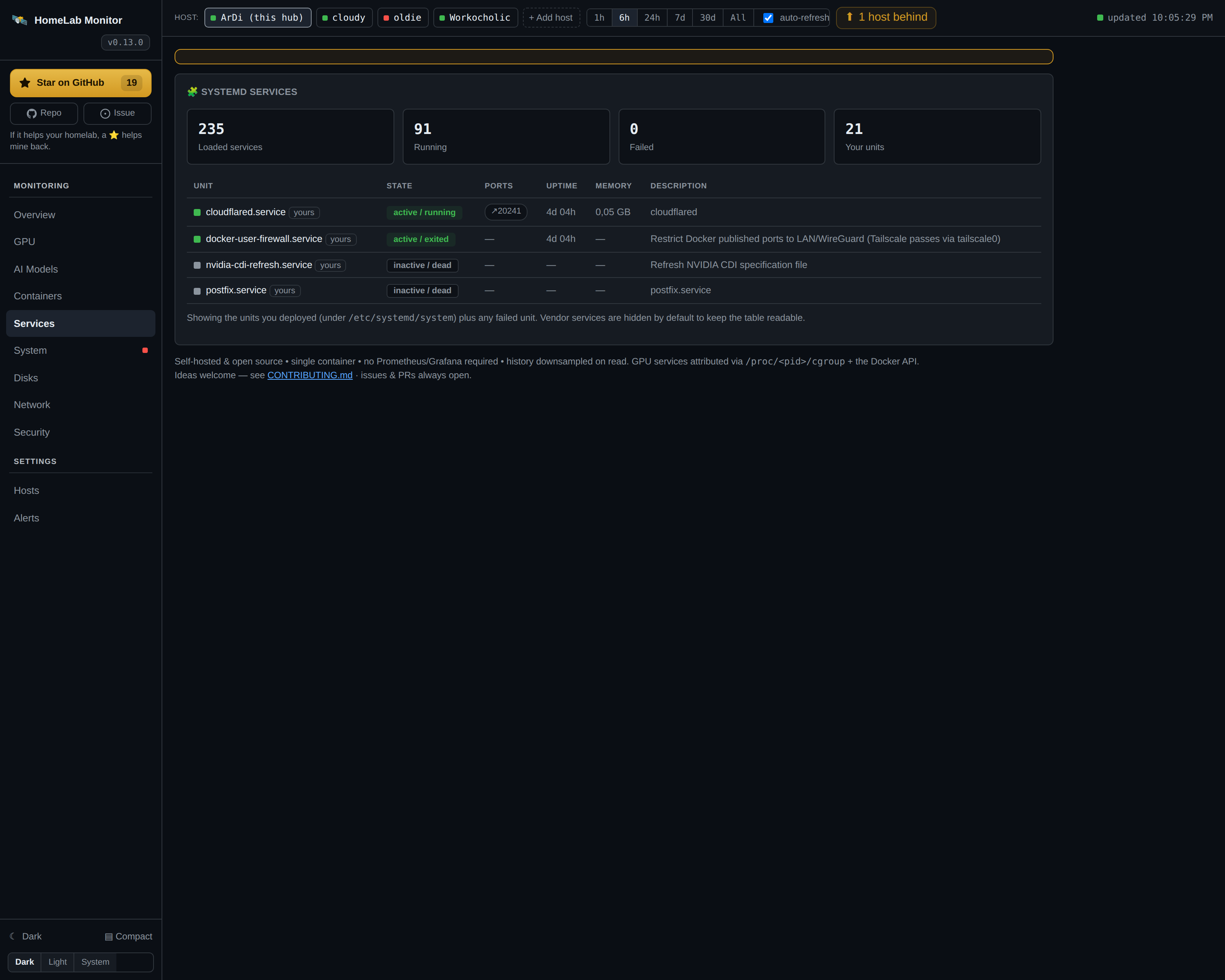
systemd service health for the active host (local or remote), with the units
you deployed highlighted, any failed unit surfaced first, plus per-unit uptime,
memory, and listen ports. Start/stop/restart is on by default too — for the
local host and for any registered remote (Linux or Windows) — see
ENABLE_CONTROLS
to turn it off.
System
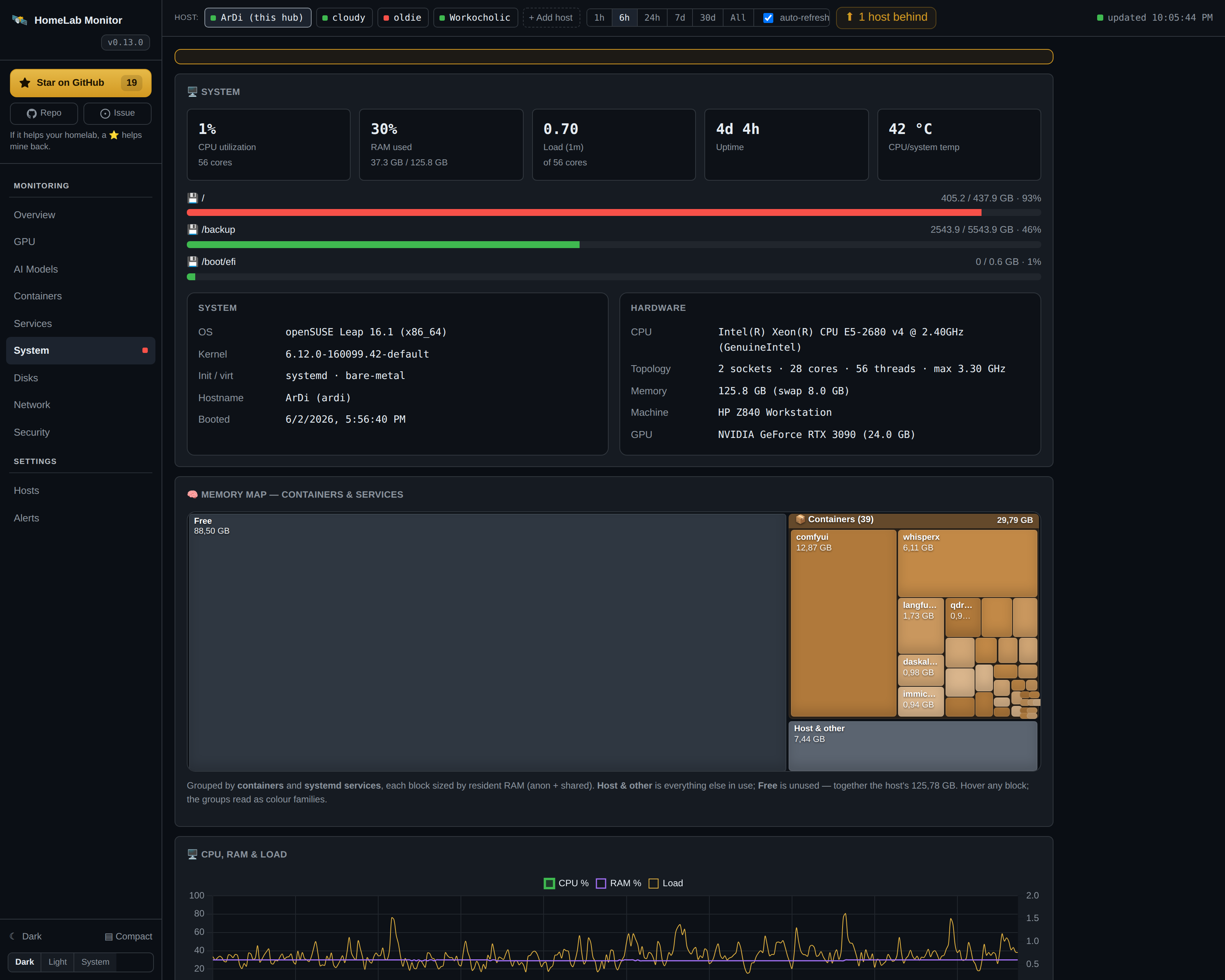
CPU, RAM, load, uptime, temperature and disk usage, plus a full inventory panel: OS + version, kernel, architecture, init system, bare-metal/VM detection, machine model, CPU model & topology, and GPU. A Memory map treemap shows exactly what's using RAM — grouped by container and by systemd service — so it's useful even on a box with no Docker.
Disks
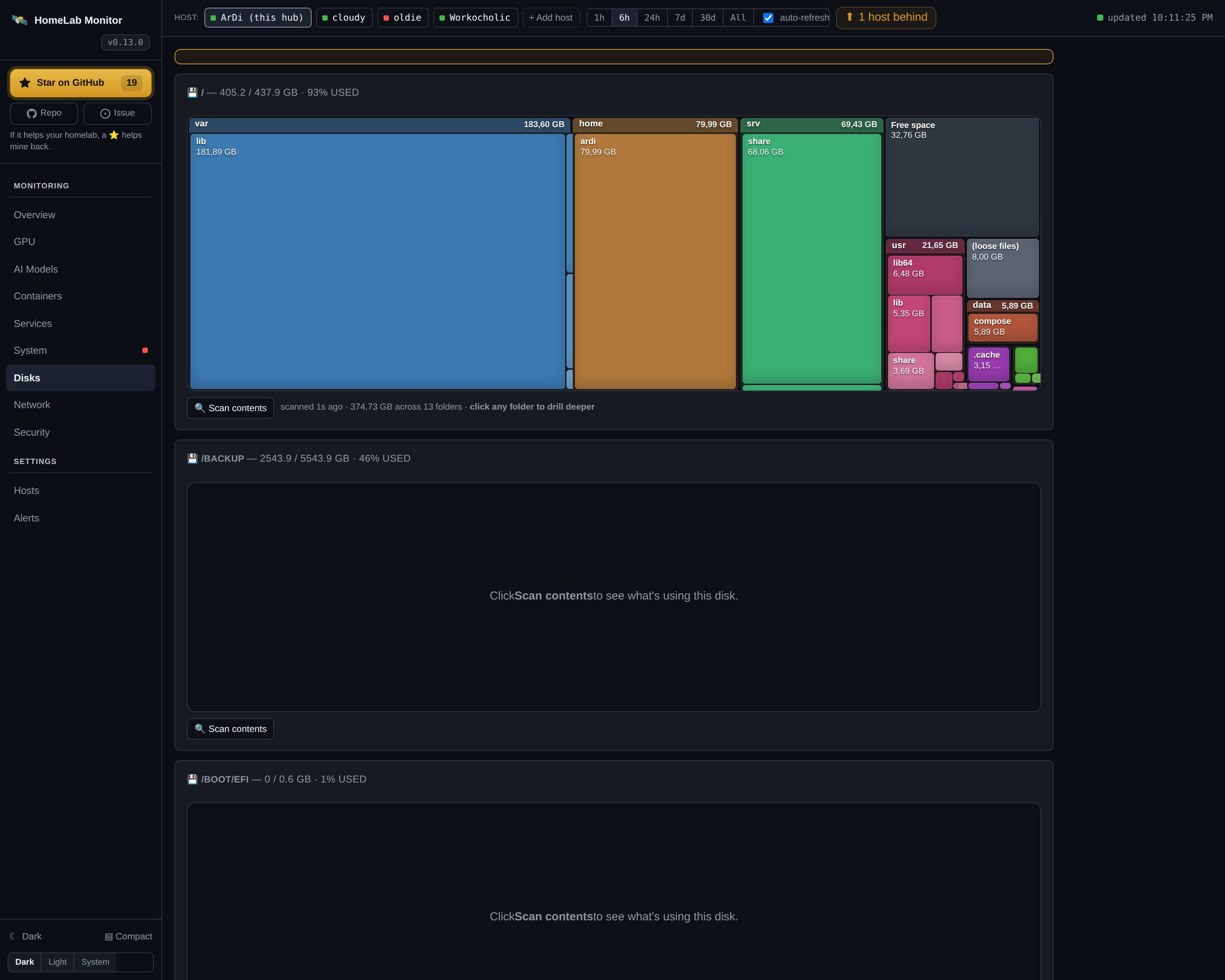
A WizTree-style treemap per filesystem: scan a disk and see what's eating the space as nested rectangles (top folders and their sub-folders in one view), then click any folder to drill deeper. On-demand and cached, so it never hammers your disks in the background.
Network
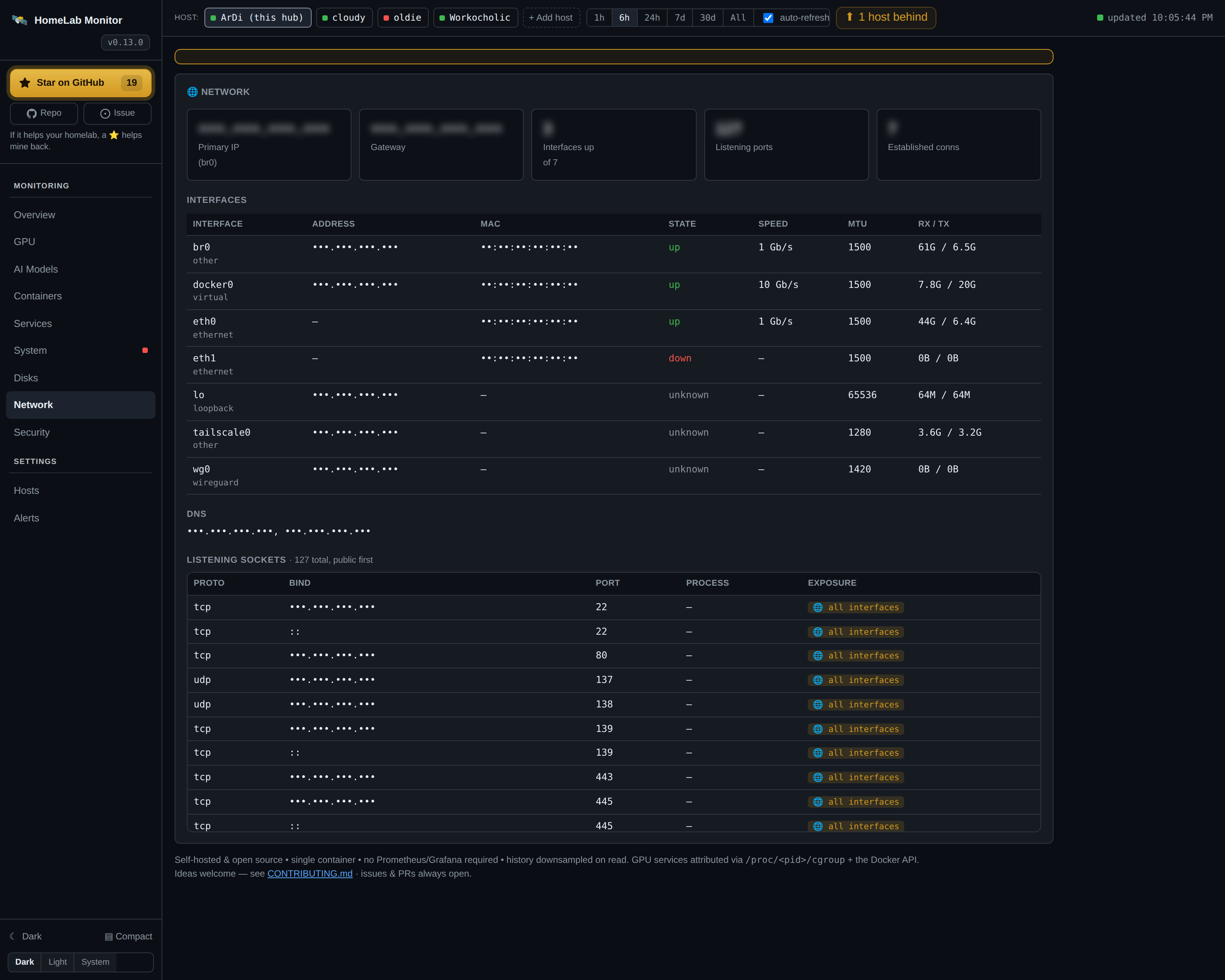
Per-host interfaces (IPv4/IPv6, MAC, link state, speed, MTU, RX/TX), default gateway, DNS resolvers, and a listening-socket table that flags which ports are bound to all interfaces vs localhost.
Security
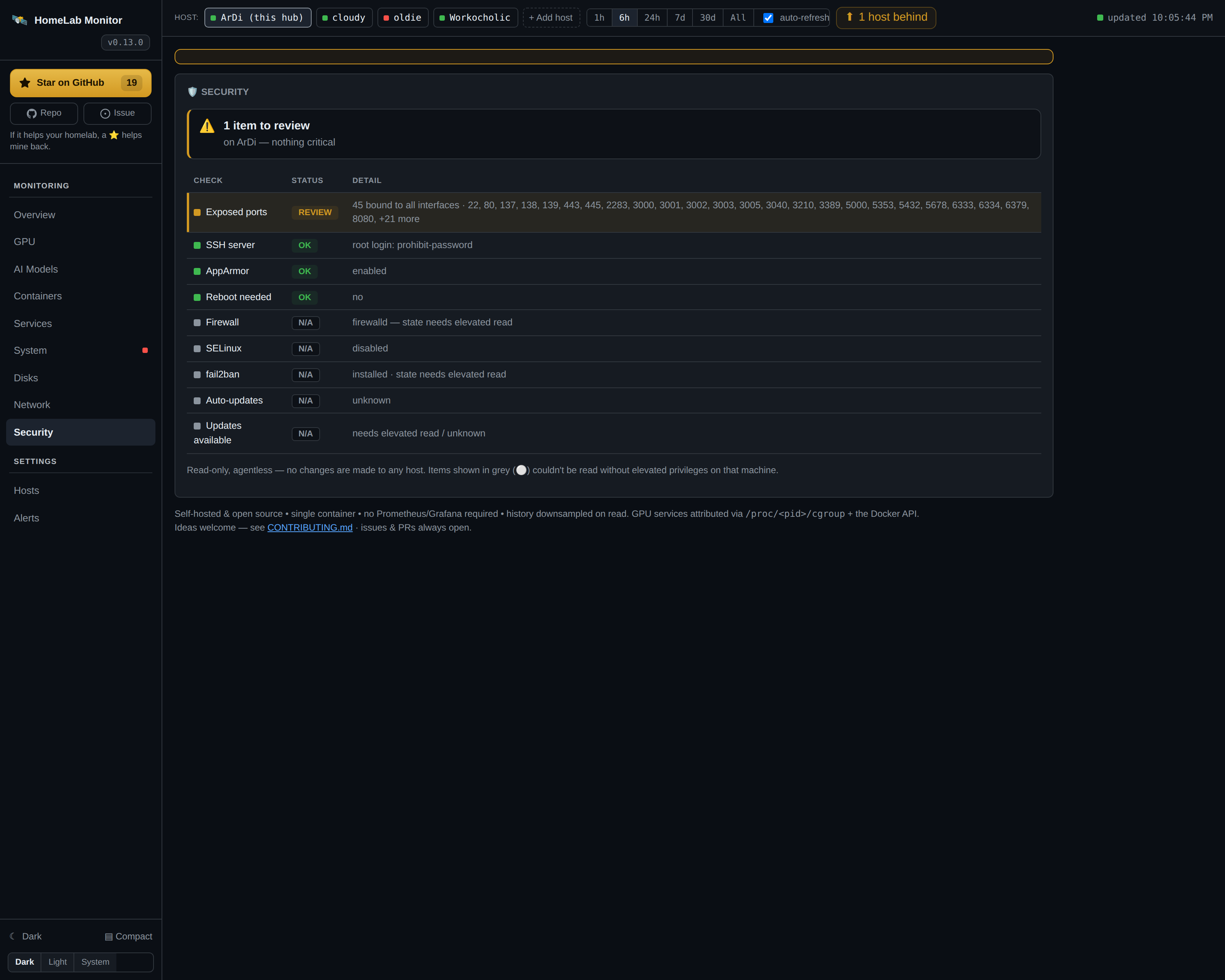
A read-only posture check per host: firewall (ufw / firewalld / nftables), SSH hardening (root login / password auth), SELinux/AppArmor, fail2ban, reboot-pending and auto-updates — issues surfaced first, with anything that needs root to read marked clearly rather than guessed.
Hosts
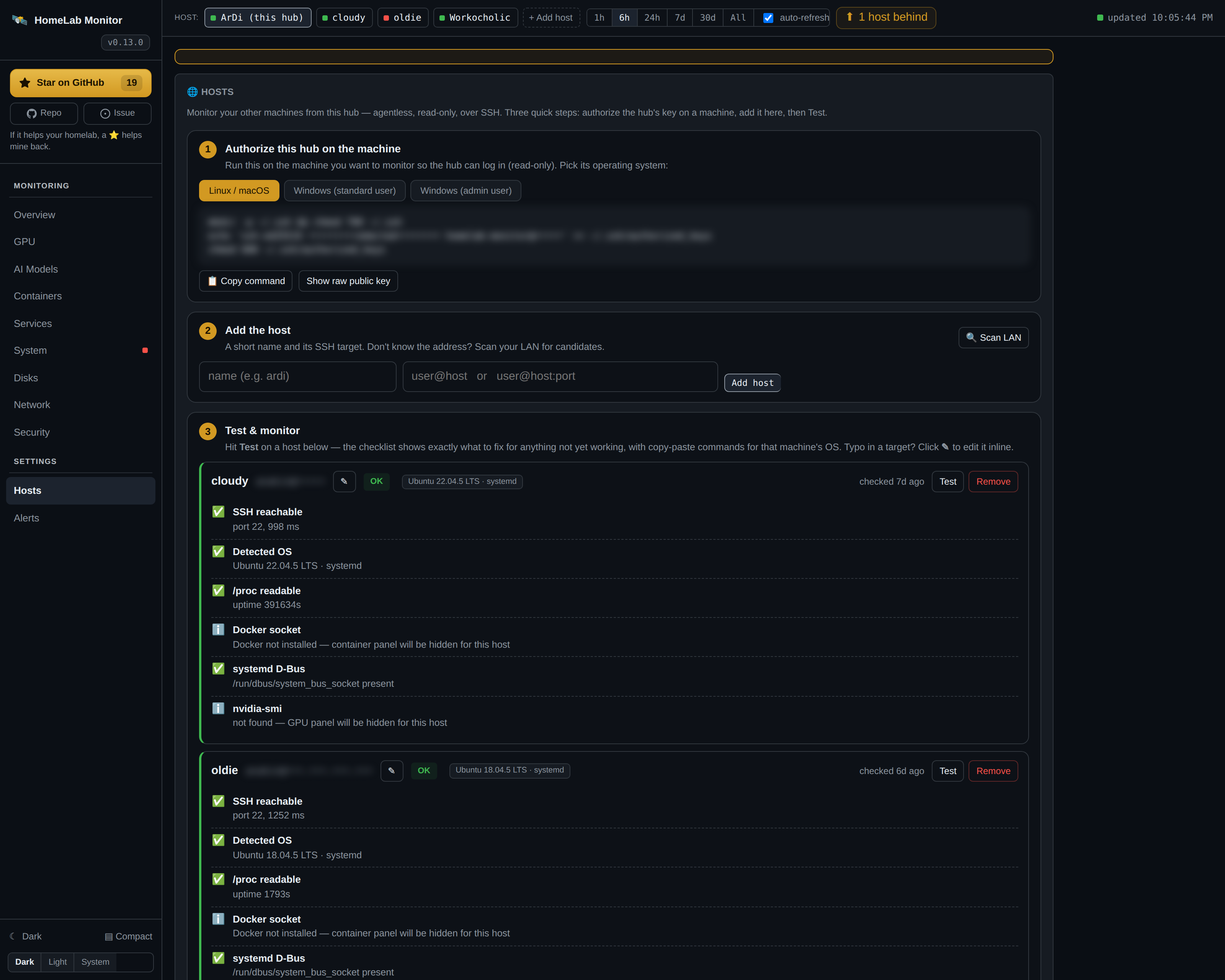
A registry and clean three-step onboarding: authorize the hub's key (with the exact command for the remote's OS), add a host — Linux, a Raspberry Pi, or Windows — and run a per-capability Test connection. For anything not yet working it shows the precise fix command for that machine's OS, and ▶ Run on remote applies it without leaving the dashboard. See Multi-machine monitoring.
History is stored in SQLite and downsampled on read, so a six-month view loads as quickly and reads as cleanly as the last hour.